📌 Examples:

    📊 Free Seller Tool · Powered by EcomVistara

    Flipkart Seller Intelligence Dashboard

    Upload your Flipkart Traffic & Sales reports to get deep SKU-level insights, actionable priorities, and revenue intelligence — instantly.

    📁 Upload Your Reports — Start Here

    Apni Flipkart reports yahan upload karein aur turant analysis shuru karein. Dono files upload karein best results ke liye.

    📈

    Traffic Report

    Impressions, Views, CTR, CVR data

    💰

    Sales / Earn More Report

    Orders, GMV, Returns, Cancellations

    ↑ Pehle file upload karein, phir analysis button click karein
    📚

    How to Download Your Reports from Flipkart

    Step-by-step training guide • Hover to zoom, click to expand
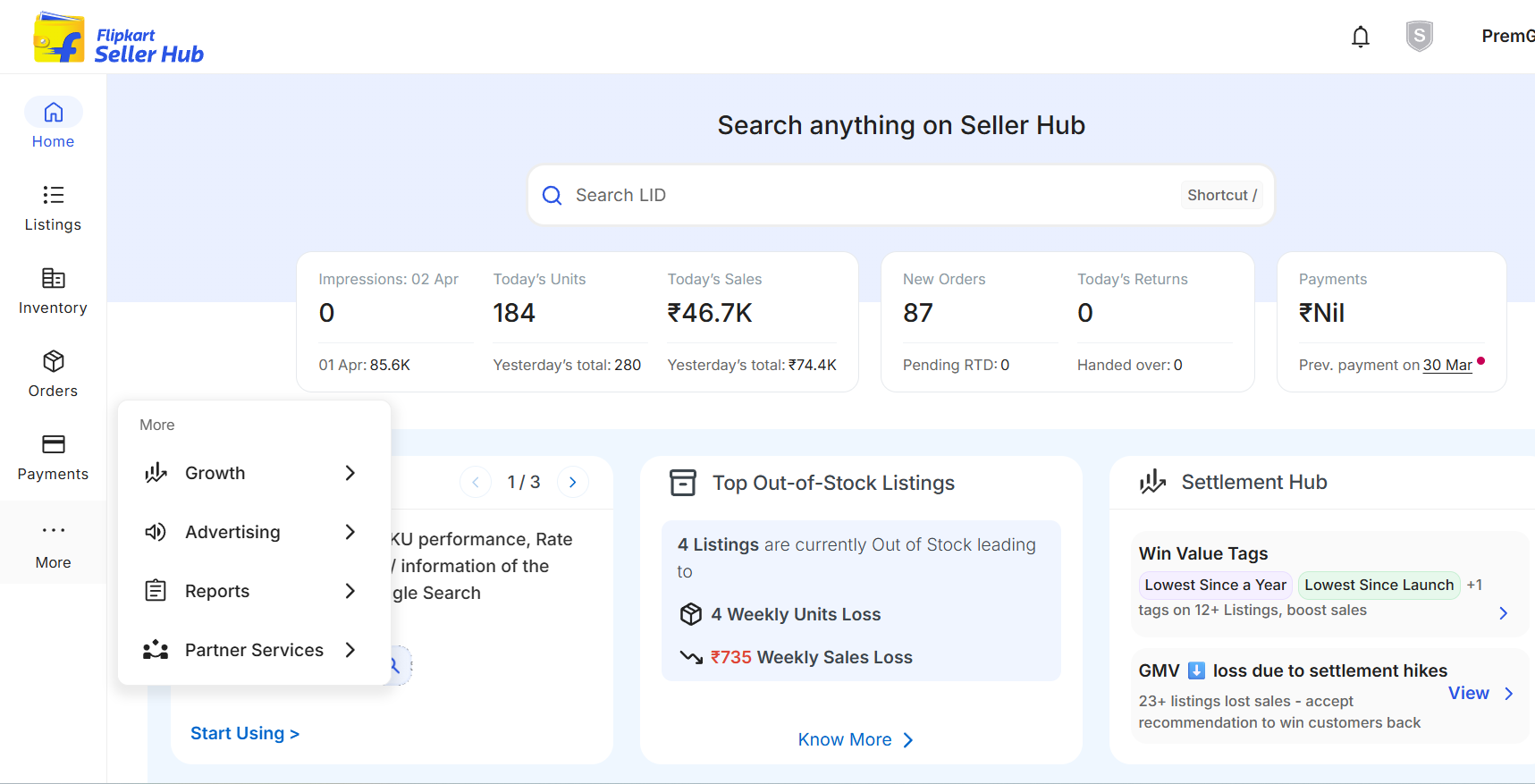
    Step 1
    🔍 Click to expand
    1
    Login

    Login to your Flipkart Seller Account. Once logged in, look for the Menu Bar — click on "More" or navigate to the Growth Section.

    Apne Flipkart Seller account mein login karein. Login hone ke baad, Menu Bar mein "More" ya Growth Section par click karein.
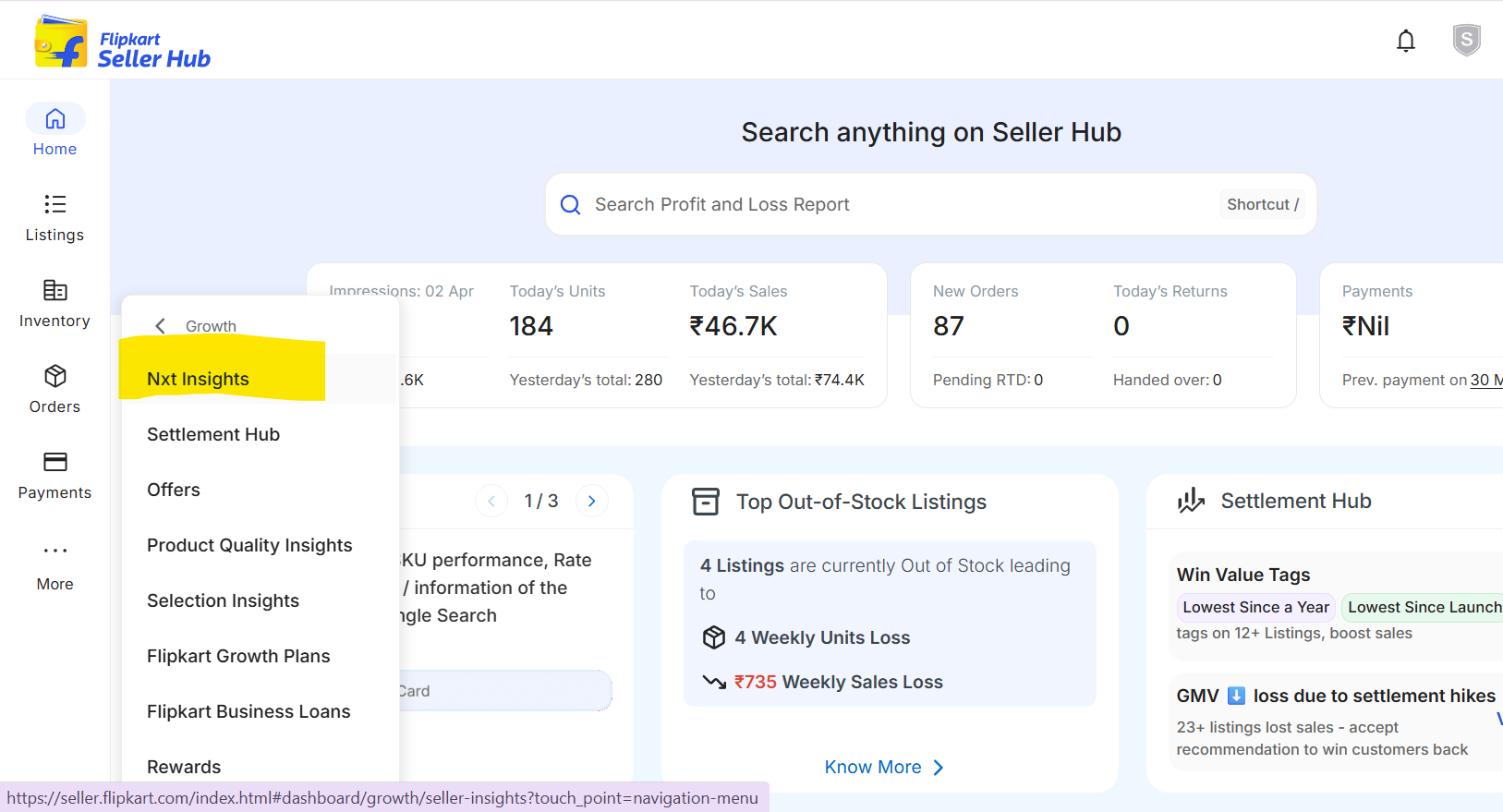
    Step 2
    🔍 Click to expand
    2
    Navigate

    In the Growth or More section, find and click on "NXT Insight" — this is your analytics hub for all seller reports.

    Growth ya More section mein "NXT Insight" dhundhein aur uspar click karein — yahan se aap apni sabhi seller reports access kar sakte hain.
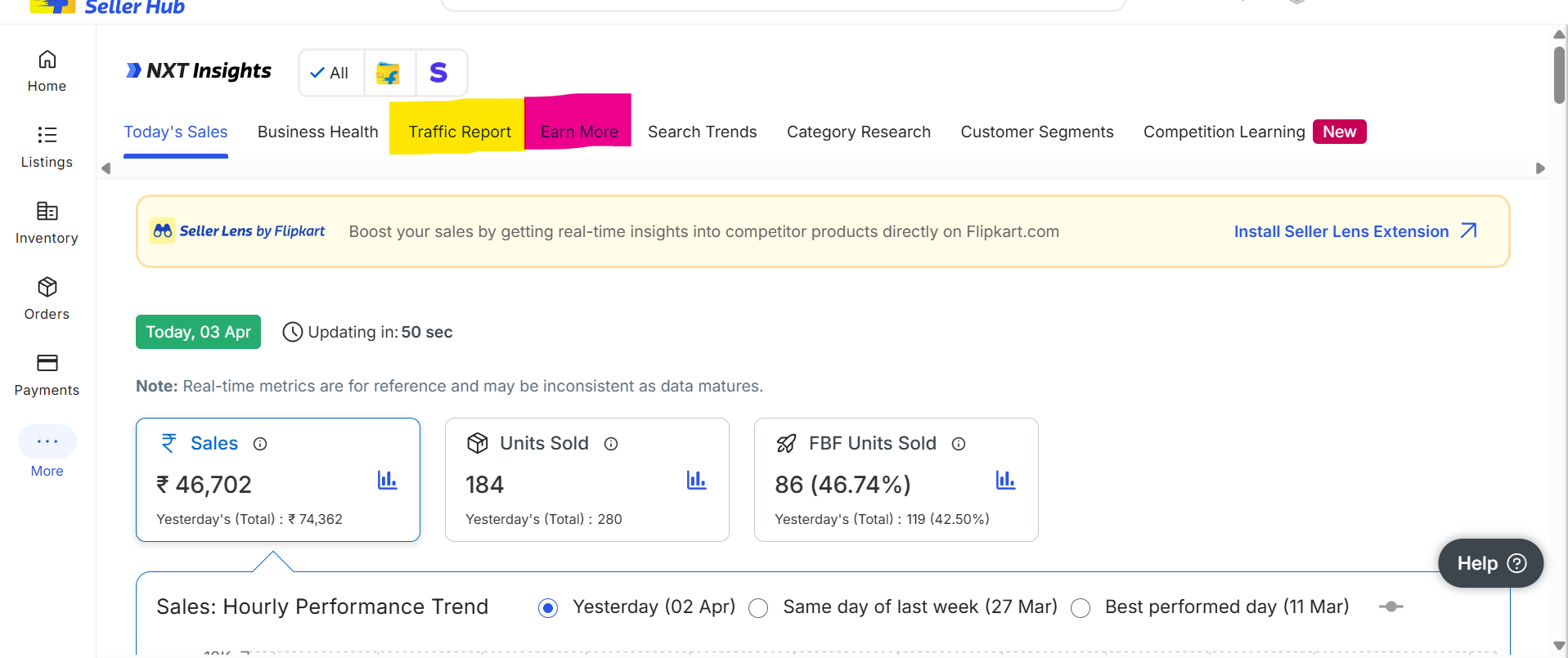
    Step 3
    🔍 Click to expand
    3
    Select Report

    Choose report type:
    Traffic Report — impressions, CTR, views & conversion.
    Earn More Report — SKU-level sales, returns & cancellations.
    ⭐ Recommended: Download both reports.

    Traffic Report traffic insights ke liye. Earn More Report sales details ke liye. Dono download karna recommended hai.
    ⭐ Pro Tip: Dono reports download karein ek ek karke
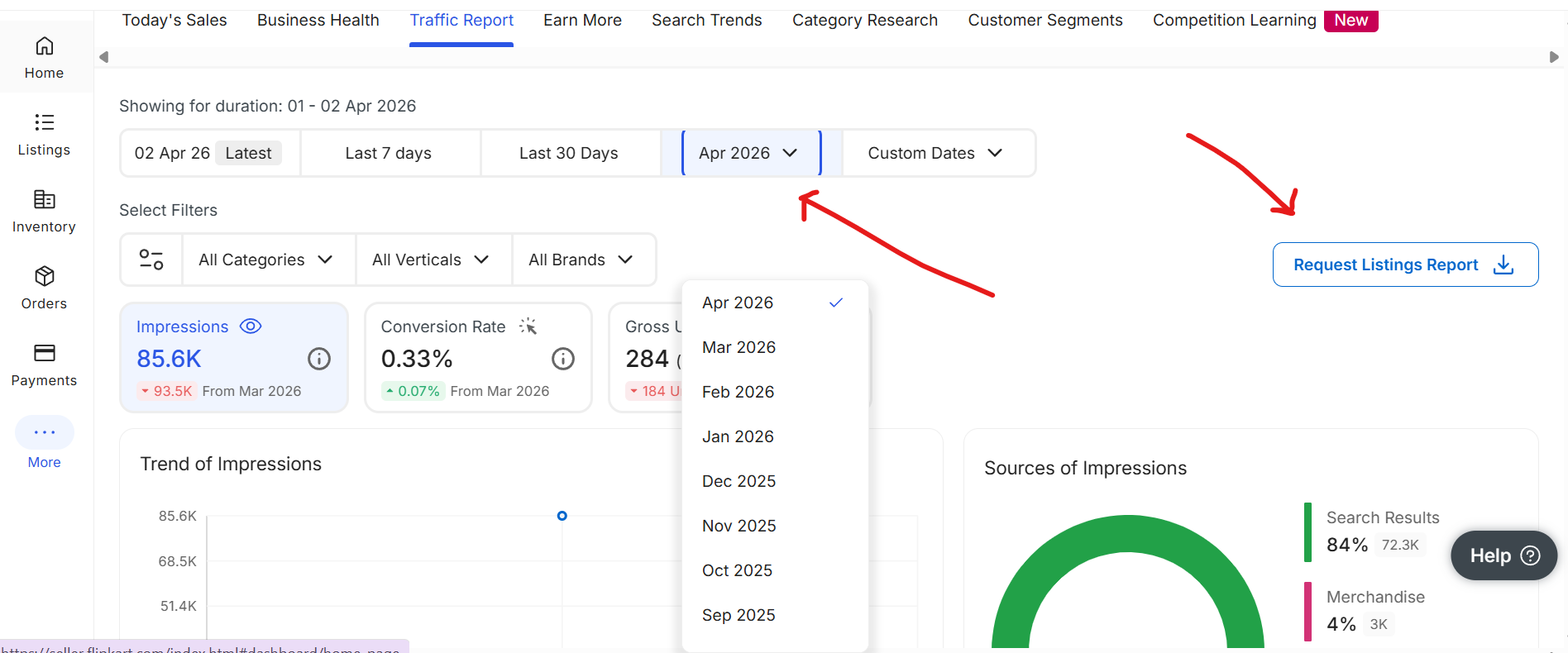
    Step 4
    🔍 Click to expand
    4
    Set Date Range

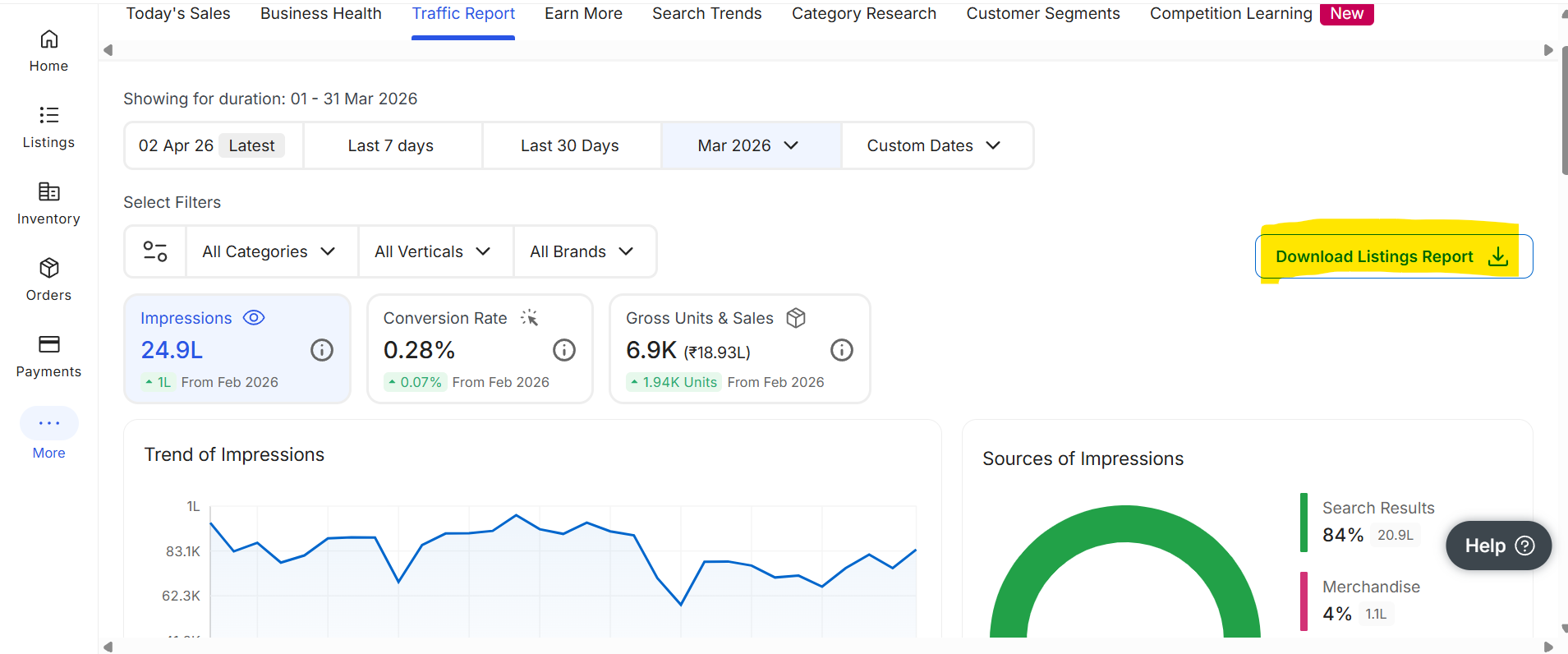
    Select the date range for your data. Then click "Request Listing Report" to generate.

    Jin dates ka data dekhna hai, woh date range select karein. Phir "Request Listing Report" par click karein.
    Step 5
    🔍 Click to expand
    5
    Download & Upload

    Report ready hone par Download karein. Phir upar diye upload section mein file upload karein!

    Jab report ready ho, Download button se save karein. Phir upar diye upload section mein file upload karein aur analysis shuru karein!

    ✅ Ab aap ready hain — upar apni file upload karein

    ⚡ Priority Actions

    Click to filter table

    📁 Add Files
    📈 Add Traffic File
    💰 Add Sales File
    Filtering by:
    to
    📋 SKU Analysis
    📊 Charts & Insights
    📖 Intelligence Guide

    SKU Analysis